VR runtime for macOS · Beta 1.1.2
HERMA
PC VR on your Mac
Your Windows VR games run in CrossOver. Herma is the runtime they talk to, and it streams them to your Meta Quest over Wi-Fi or a cable. No gaming PC, no Boot Camp, no second machine under the desk.
149 CZK a month on Patreon · or the free pre-alpha: 25 minutes of games a day
Can't sign in with Patreon? Get the free pre-alpha
- OpenXR
- OpenVR
- Direct3D 11 · 12
- Vulkan
- OpenGL
- Wi-Fi · USB-C
- Quest 3 · 2 · 1
On the Mac
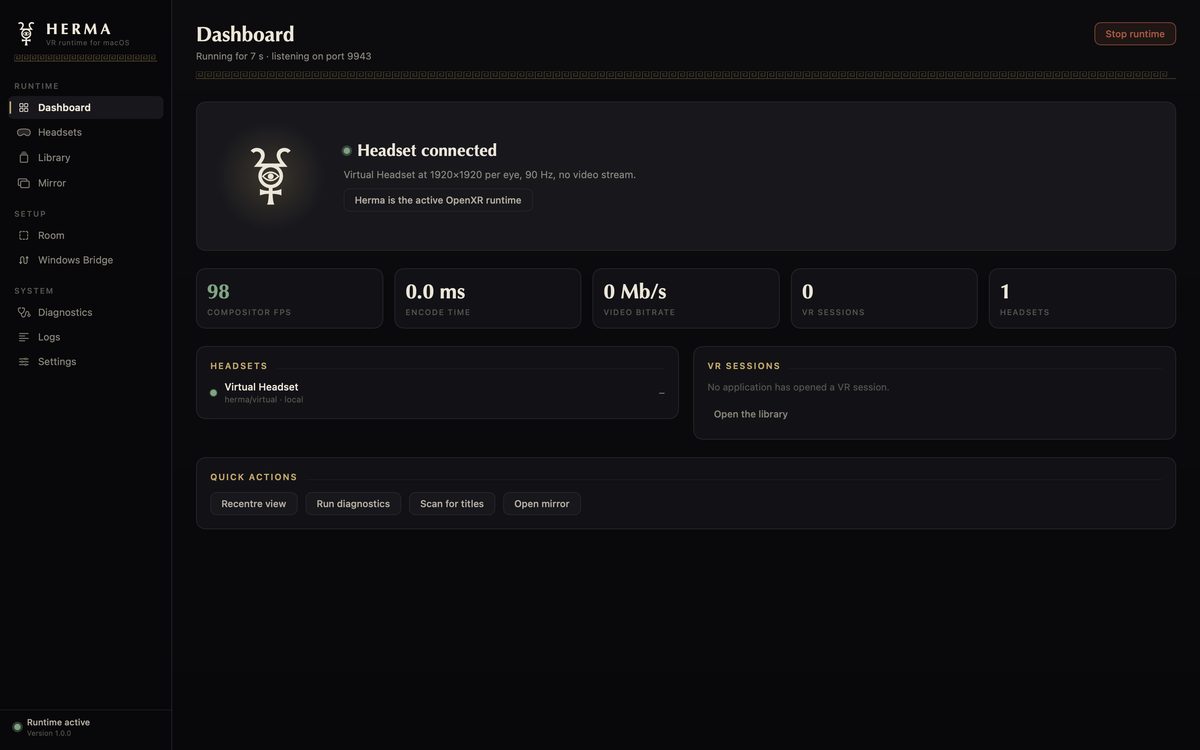
One window runs all of it.
What it does
The part of a VR PC your Mac was missing.
Games, on a Mac
PC VR games running under CrossOver, with the controllers, the picture and the sound where the game expects them.
To your headset
Streams to Meta Quest over your network or a USB-C cable, with hardware video encoding on Apple silicon. Plug in or unplug; it follows.
A picture that holds
A lost packet is rebuilt on the headset. A frame that cannot be rebuilt is never shown: the last whole picture stays until the next one.
A room of its own
A place to stand between games, with your Mac's windows on a curved screen you can click with the controllers.
Fits your body
Height, arm length, hand speed, step length and the angle of each hand, set in the headset and kept for every game.
Fixes itself
One button puts right the things that stop a VR game starting, and says what it changed.
Tested end to end
Menus, controllers and sound. More with every update, and each update says which.
Getting started
From Patreon to the headset.
- Join
Subscribe to the Herma tier on Patreon — or skip this for the free pre-alpha, with 25 minutes of games a day.
- Download
Press Download here and sign in with Patreon. The file starts by itself.
- Open
Drag Herma to Applications. The first time, let it in with Open Anyway in System Settings › Privacy & Security.
- Plug in
Connect your Quest with a USB-C cable. Herma sets up CrossOver, the headset and the pairing by itself.
- Play
Press Connect Patreon in Herma, pick a game, put the headset on.
What you need
- A Mac with Apple silicon, running macOS 14 Sonoma or later
- A Meta Quest (3 recommended), with Developer Mode switched on in the Meta Horizon app
- CrossOver from CodeWeavers, sold separately, for Windows games
- A USB-C data cable for the first setup, and 5 GHz Wi-Fi for playing without it
Questions
- Is there a free version?
- Yes: without a membership, Herma is a free pre-alpha. Everything works, and games play for 25 minutes a day. A membership removes the limit.
- Why do I sign in to download?
- So this site can ask Patreon whether you are a member: members get Herma without limits, everyone else the free pre-alpha. It keeps nothing.
- What happens if I cancel?
- Games keep working until the end of what you paid for, then Herma asks you to renew. Resubscribe and it works again by itself.
- Does it need the internet?
- Once a day, to ask Patreon whether you are still subscribed; it keeps working for a few days offline. Herma collects no analytics and sends nothing about you or your games.
- Which games work?
- Every game is its own story. Skyrim VR, GORN and GORN 2 are tested; more come with each update.